MyKnowledgeHub
Center for Knowledge Management
Important Notice
Effective September 21, 2026, the login process for accessing MyKnowledgeHub, Vanderbilt Health’s gateway to a curated collection of clinical, drug, and patient information resources (e.g., UpToDate, Lexidrug, ClinicalKey, Krames on Demand), has changed.
It is important to please follow all steps in the process outlined below. Once registered, you may need to wait more than an hour before your new account becomes active.
Registration Process Instructions
If you have not registered your VU account for access to the following services, you will need to follow the instructions below.
Step 1: Register with the CKM proxy service.
The CKM proxy service allows your Vanderbilt University account to be recognized as an authorized user when you access MyKnowledgeHub or MyKnowledgeHub resources (e.g., UpToDate, Lexidrug, ClinicalKey, Krames on Demand).
Click the registration link, and you will be prompted to log in with your VU email address.
Note: If you are not prompted to log in and your browser defaults to a Vanderbilt Health account, or any other Microsoft Account that is not your Vanderbilt University account, it is recommended to use a different browser or a private/incognito window to complete this process.
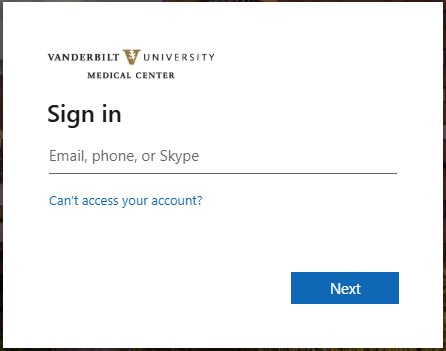
Step 2: Request access
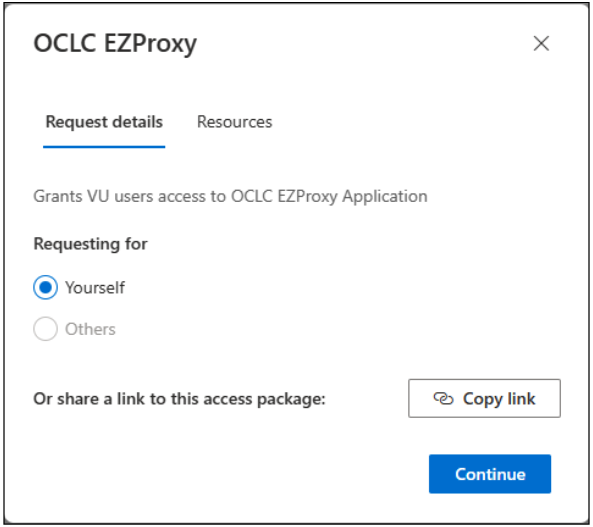
After signing in, you will be prompted to request access. Click the "Continue" button.
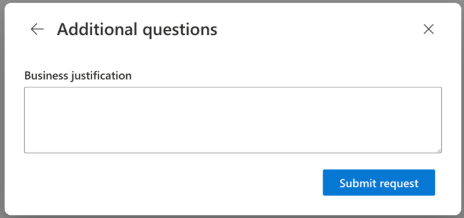
Enter a business justification (e.g., registering my VU account). Click "Submit Request".
Step 3: Confirmation of Pre-Registration
After you have submitted your request, you will temporarily see a green box stating that your request is being processed. Once your request is approved (this may take up to one hour), you will receive an email with the subject line "You now have access to OCLC EZProxy."
If you have any questions about the pre-registration process, please contact the Center for Knowledge Management at ckm.developer@vumc.org.
Step 4: Register with MyKnowledgeHub
After registering with the CKM proxy service, you will now need to register for access to MyKnowledgeHub.
Click the MyKnowledgeHub registration link and repeat steps 1-3 above.